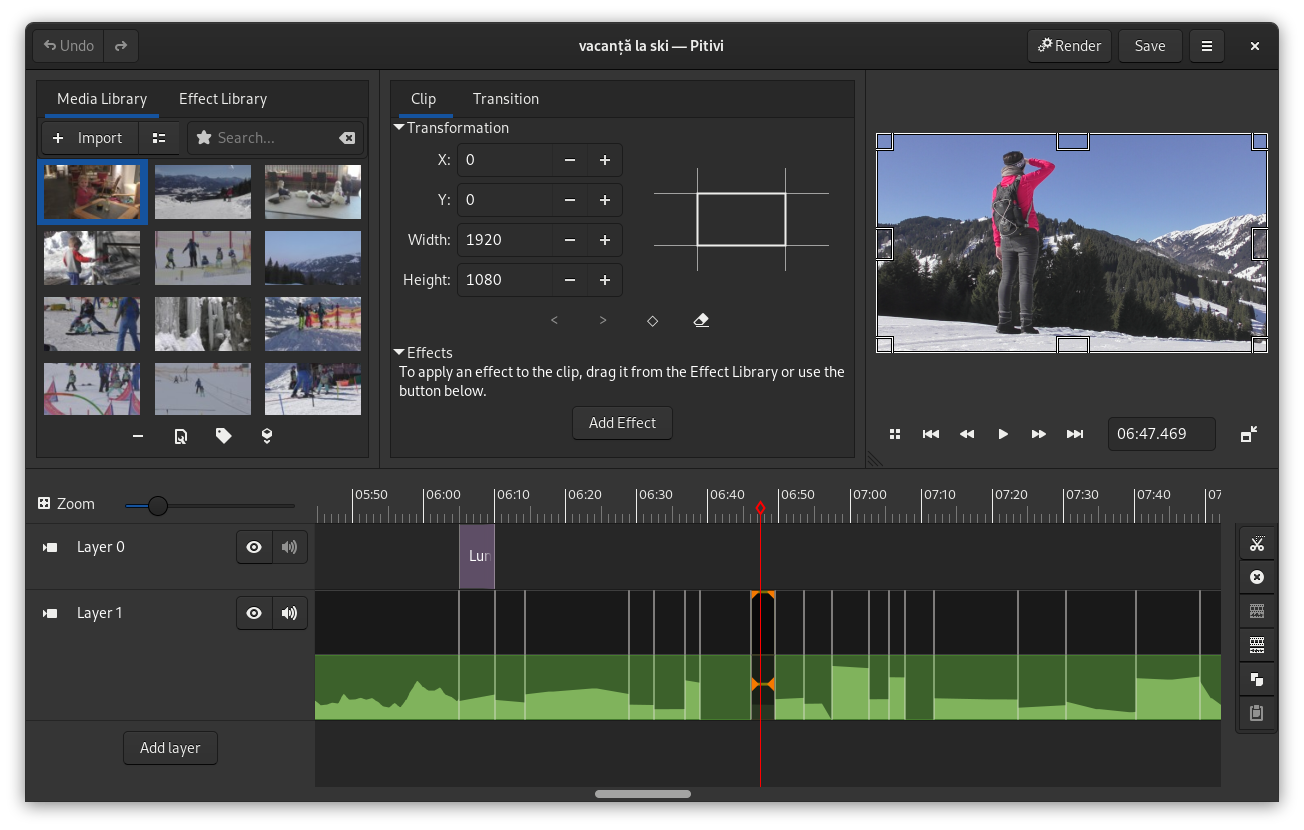
Pitivi respects your freedom and keeps getting better with each new release. It will never require licensing fees or use DRM to prevent you from using it whenever, wherever and however you like. Developed collaboratively by people from all around the world, its sole purpose is to be a fantastic video editor to empower people to express themselves through video. Like GStreamer and GES, Pitivi is distributed under LGPL.
As long as it is well supported by the GStreamer Multimedia Framework, Pitivi will accept any format you throw at it.
Not only do you have access to over 70 industry-standard transitions and more than a hundred video and audio effects, you can add true dynamism to your films by animating all the effects' properties over time with keyframes.
Packed with time-saving features such as realtime trimming previews, ripple and roll editing, grouping and snapping, realtime assets management and searching, playhead-centric zooming and editing, non-modal cutting, detachable interface components, smooth scrolling, automatic zoom adjustment, Pitivi allows you to cut with ease. Like a ninja with a vibroblade.
Some video editing applications only allow you to use footage that has the exact same framerate inside a project. Well, our timeline is like the honey badger: it doesn't care.
Others say they're frame-accurate; we say that's not enough. We're accurate to the nanosecond. Because we can.
Visuals are only a tiny part of the story. A movie without balanced and well-timed sound is amateur at best. Pitivi provides you with a clear and accurate representation of loudness, so you can balance things out or easily detect patterns for beat matching, clap synchronization or simply cutting to the music.
Thanks to the tireless work of the GNOME translation and localization teams, Pitivi is available in many languages. Your language is not listed there? Make it happen.
You have better things to do than dealing with cumbersome user interfaces or reading through books just to get started. Resulting from years of experience and analysis, our user interface is intuitive and self-documenting: it provides you with all the contextual hints you need to grasp the essentials without needing to dive into the user manual all the time. But if you want to do something more complicated or want to better understand the tenets of our design, our fully-searchable, topic-oriented and multilingual user manual is right there, at your fingertips.
In addition to providing you with the best video editing software possible, nothing is more important to us than encouraging you to adapt and improve Pitivi and GES. After all, you should truly own your software. The reason we can keep improving with each release is because you get involved.
Pitivi integrates best with the GNOME desktop — or any Linux desktop environment, really. We don't just look pretty alongside other GTK applications though: we help redefine the desktop experience by working closely with toolkit and theme designers to suit our needs and push the whole ecosystem forward.
Once created, your project is always safe. With Pitivi, you can even cut the power or crash the entire computer and Pitivi will offer you to restore from the last automatic checkpoint. Best of all: Pitivi won't try to second-guess you. We've seen enough examples out there of applications that can't be trusted to handle backups correctly.
Pitivi generates thumbnails and waveforms in the background, without disrupting your workflow.
With the GStreamer Editing Services library, we are laying solid foundations for the future based upon over a decade of experience. Built atop the giant shoulders of the industry-standard GStreamer multimedia framework, GES reduces fragmentation and risk while allowing diversity for application writers and adaptability for all kinds of purposes.
Take a look at some of the praises/positive comments we have received so far.
A must-have feature is missing? You can certainly help us implement it.